The editor built into Zeal
A document editor that never asks you to leave.
Most contract platforms store documents. Zeal edits them. Word documents, spreadsheets, presentations, and PDFs open and edit natively inside Zeal, with the same collaboration, redlining, and version control tools legal teams already expect, so a contract never has to leave the platform to get finished.
Get startedDocuments
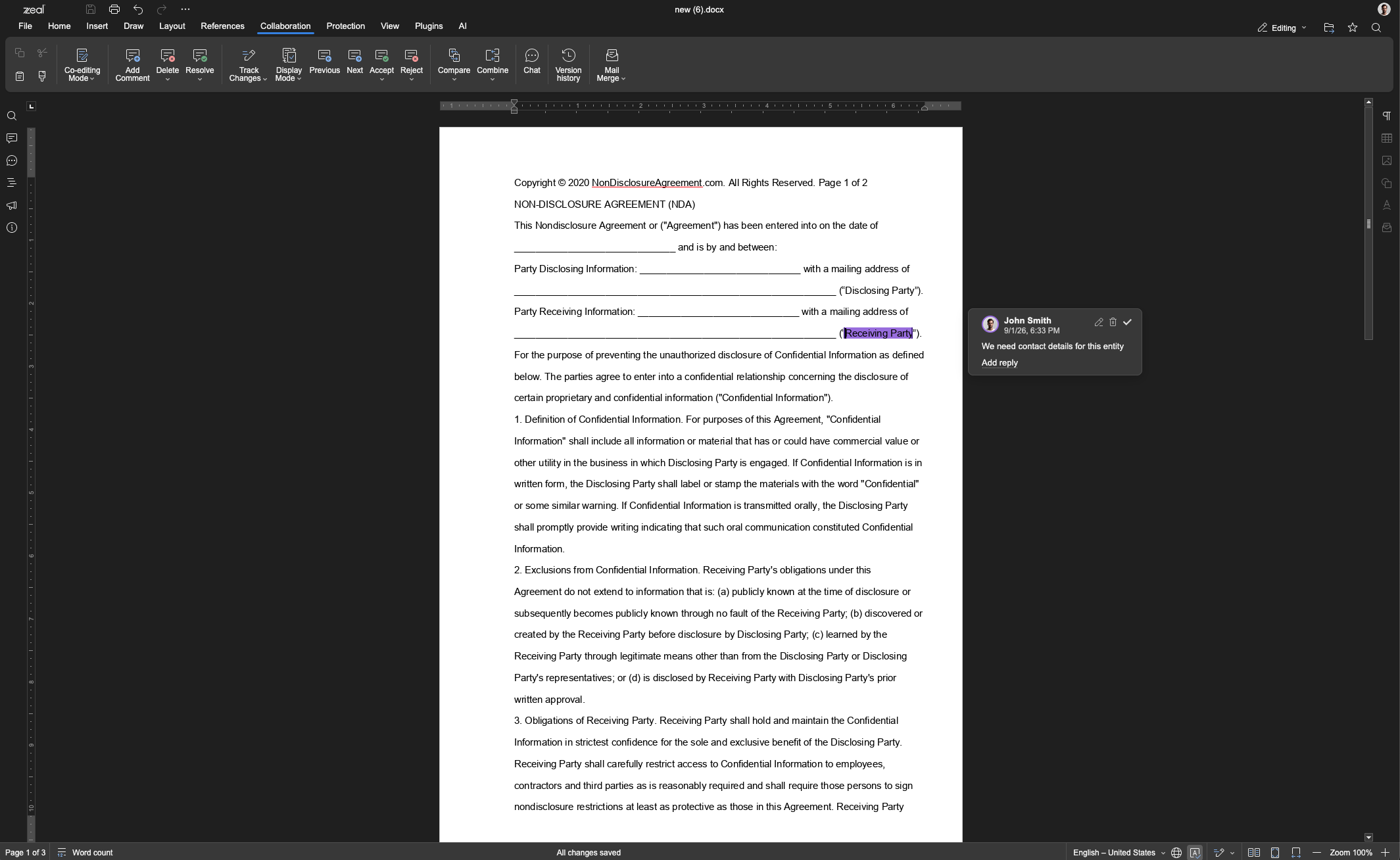
Draft and redline contracts without opening a separate word processor.
Contracts start as documents, and most legal teams still draft, redline, and finalize them in a separate word processor before anything touches the CLM. Zeal's editor removes that step. Open a DOCX file, draft from a template, or start from scratch, with full formatting, styles, and track changes support built into the same platform that stores and routes the contract afterward.
Comments, suggested edits, and version history stay attached to the document as it moves through review, so a redline from three drafts ago is never lost in an email thread. When the document is ready, it moves directly into Zeal's approval and signature workflow. No export, re-upload, or format conversion in between.
The document you draft is the document you sign. Nothing gets recreated in a different tool along the way.
PDF editing
The capability most CLM platforms skip entirely.
Every CLM platform can store a signed PDF. Almost none can edit one. When a signature page needs a redline, an exhibit needs updating, or a counterparty flags one clause after execution, the standard answer is to leave the platform, open a separate PDF tool, make the change, and re-upload the result. The contract's system of record and the tool doing the actual work become two different places.
Zeal edits PDFs directly. Change text, manage form fields, redact privileged or sensitive content, and collaborate on the exact file, all inside the same platform that already manages the contract's lifecycle. The PDF stays the single, authoritative copy throughout, instead of spawning duplicate versions across tools.
This matters most in the moments that are hardest to control: last-minute redlines, sensitive information that needs to come out before a document goes external, and inbound PDFs from counterparties negotiating on their own paper. Zeal handles all three without a second application in the loop.
See how to get started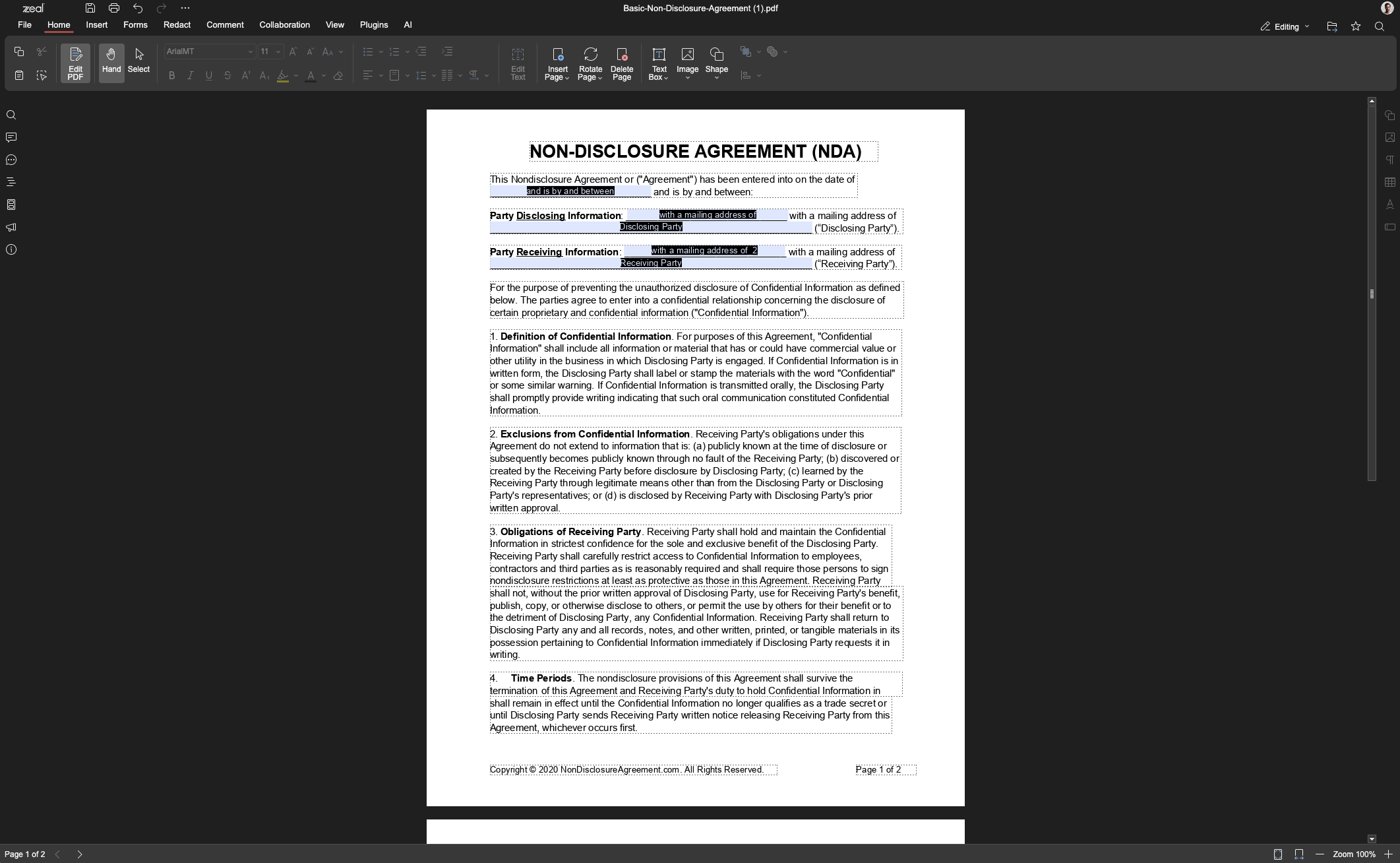
The all-in-one case
Why move a contract through three different systems?
Most legal teams manage a single contract across three disconnected tools: a word processor to draft it, email to share and negotiate it, and a separate e-signature tool to execute it. Each handoff between tools is a place where a version goes stale, a redline gets lost, or a sensitive document sits in an inbox longer than it should.
Today, without Zeal
A word processor
Draft the contract
Share and negotiate
A separate e-signature tool
Execute the agreement
With Zeal
All inside Zeal
Create
Edit
Collaborate
Negotiate
Sign
Zeal collapses that into one flow: create the document, edit it, collaborate with reviewers, negotiate the terms, and sign, all inside a single secure, encrypted environment. There is no export between steps and no third-party inbox holding a copy of the agreement while it is still being negotiated.
The result is not just fewer clicks. It is fewer places a contract can go wrong: fewer copies to lose track of, fewer accounts with access to sensitive terms, and fewer handoffs where something falls through.
Get started
See the editor on your own contracts.
Tell us what you are working with today, Word documents, PDFs, spreadsheets, or all three, and we will show you what changes when it all runs through one platform.